Activate the Offline Trial License
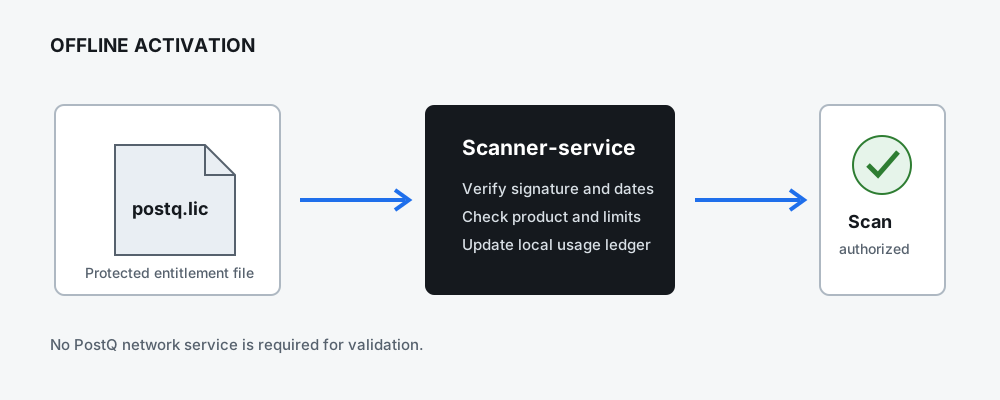
Scanning in the distributed beta requires a signed PostQ postq.lic file. Activation is offline:
the scanner validates the signature, effective dates, product, trial limits, and local usage state
without contacting a PostQ service. The standalone Report Viewer does not require activation.
Important
A license file is an entitlement record. Store it as a protected secret, do not commit it to source control, and do not embed it in a container image or report archive.
Trial limits
The V1 beta trial is issued for 15 days. The effective period is the intersection of the signed license dates and the beta window, 21 August 2026 through 30 September 2026 UTC. Default limits are 20 unique repositories and 1,000 eligible source files per repository. The values in the signed license are authoritative.
Activate the CLI
Use an explicit path for managed workstations and CI:
postq-code-scanner-cli --license-file /secure/postq.lic --license-status
The scanner resolves a license in this order:
--license-file <path>POSTQ_LICENSE_PATHpostq.licin the current working directorypostq.licbeside the scanner JAR or installed distribution
An explicit path is recommended because it is easier to audit and does not depend on the process working directory.
Activate VS Code
- Open the PostQ Crypto Readiness Activity Bar view.
- Expand License.
- Select Activate License From File.
- Choose the issued
postq.licfile. - Confirm that the License view reports a valid status before scanning.
Activate License From Content is available for controlled host workflows that cannot retain the source file. Do not paste license content into workspace settings, source files, terminals, tickets, or chat systems.
Activate Eclipse
Open Window > Preferences > PostQ Crypto Readiness and set Offline license file to the full
path of postq.lic. The Eclipse plugin passes the path to scanner-service; it does not implement a
separate license decision.
Activate a container scan
Mount the license read-only and pass its container path:
docker run --rm \
  -v "$PWD/source:/repo:ro" \
  -v "$PWD/reports:/reports:rw" \
  -v "$PWD/postq.lic:/run/secrets/postq.lic:ro" \
  postq-code-scanner-cli:latest \
  --license-accepted \
  --license-file /run/secrets/postq.lic
The container stores its persistent local usage ledger below /reports/.postq/. Preserve that
directory between scans and protect it from modification.
What is stored locally
The licensing flow stores repository fingerprints and the latest observed time in a local ledger. It does not store source content, findings, repository paths, customer identity, or license signatures in scanner reports. License validation does not transmit usage or licensing data to PostQ.
If activation fails
License failures use exit code 3 and a stable error identifier. Common causes are a missing or
modified file, an inactive date window, system clock rollback, or a repository/file limit. Do not
edit the license envelope; any change invalidates its signature.
See License FAQ and Troubleshooting.