Report Viewer
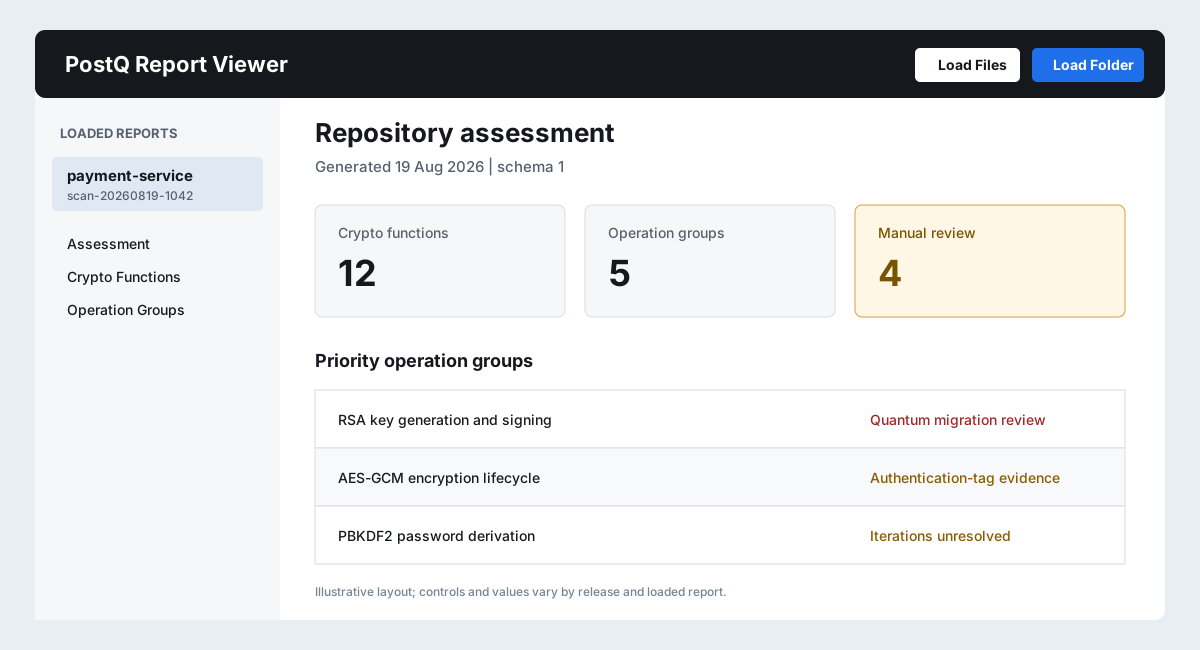
The standalone PostQ Report Viewer opens completed scanner reports without running a scan. It is intended for security reviewers, architects, auditors, and development leads who need access to results but not scanner execution.
Open the viewer
- Extract
postq-code-scanner-report-viewer-<version>.zip. - Open
index.htmlin a supported desktop browser. - Select Load Folder to load a complete scan directory, or Load Files to choose individual report JSON files.
- Select a loaded report and review Assessment, Crypto Functions, and Operation Groups.
Recommended input
Load the complete report folder whenever possible. The primary review set is:
crypto-functions.jsonoperation-groups.jsoncrypto-finding-assessment.json
The viewer can also identify findings.json and related report files. Files from one scan should
share the same scanSession.
Security model
The viewer is self-contained and does not require a PostQ service, Java, OpenGrep, or a scanner license. It reads the files selected in the browser session and does not perform source scanning. Treat the extracted viewer and loaded reports according to your organization's workstation and data-classification policy.
Limitations
- The viewer does not modify source or scanner facts.
- Source navigation is best experienced through the VS Code or Eclipse host where the scanned source remains available.
- Loading one report from a folder can omit context shown by related reports.
- Reports from different
schemaVersionvalues may not expose identical fields.