VS Code
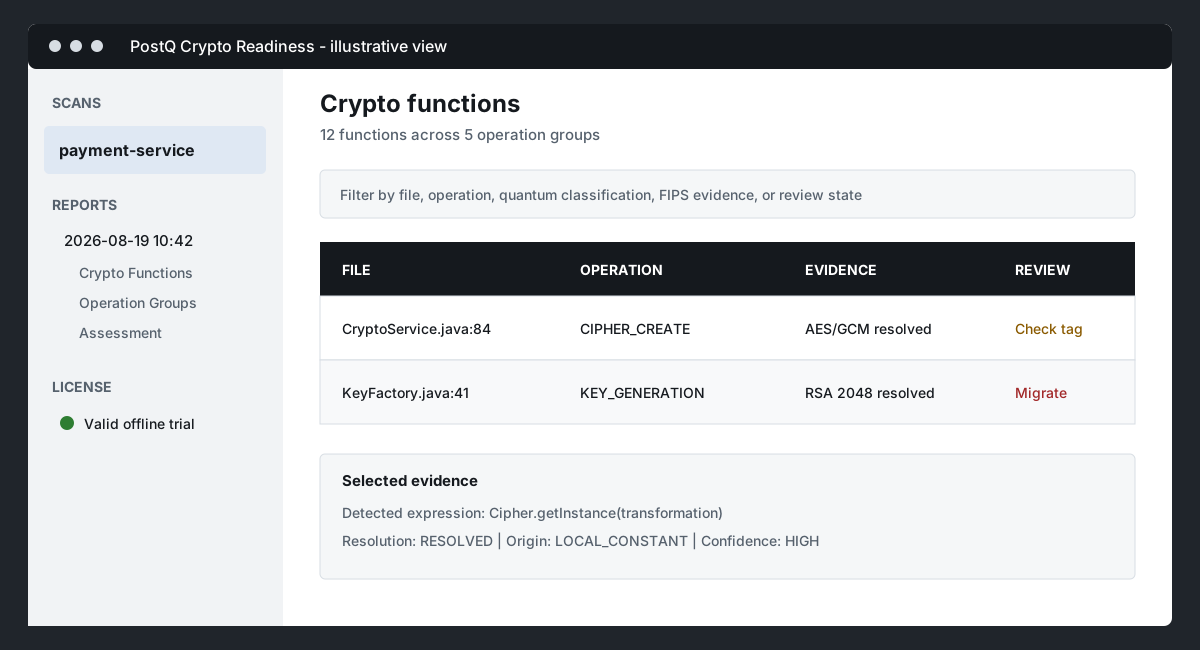
The PostQ Crypto Readiness extension runs scanner-service, keeps local report history, publishes backend findings to Problems, and opens read-only report and comparison panels.
Install and activate
- Install
postq-code-scanner-vscode-<version>.vsix. - Open a source workspace.
- Select the PostQ Crypto Readiness Activity Bar icon.
- Expand License and activate the issued license file.
- Confirm Java and OpenGrep are available to the VS Code process.
Run a scan
Open the Command Palette and run one of these commands:
- PostQ Crypto Readiness: Scan Current File
- PostQ Crypto Readiness: Scan Workspace Folder
- PostQ Crypto Readiness: Scan All Workspace Folders
You can also right-click a supported file or folder and select PostQ Scan.
Fresh scans run OpenGrep and create a new report snapshot. Reuse mode creates a new report snapshot from an earlier scan's OpenGrep evidence. Use a fresh scan when source or scanner rules have changed.
Review and compare
The Activity Bar contains:
- Scans: workspace scan status and controls.
- Reports: completed report history and generated report files.
- License: activation and status commands; collapsed by default.
- Transformation Hub: reserved for a future capability and not active in this release.
Open a completed scan in PostQ Code Scan. Select exactly two scans from the same workspace with Ctrl/Cmd-click and choose Compare Selected Reports to open PostQ Report Compare. Source navigation opens the matching file and line when the source is still available in the workspace.
Settings
| Setting | Purpose |
|---|---|
postqCryptoReadiness.scanner.scannerServicePath |
Optional absolute scanner-service path |
postqCryptoReadiness.scanner.language |
Optional language hint |
postqCryptoReadiness.scanner.openGrepPath |
Optional OpenGrep command or absolute path |
postqCryptoReadiness.scanner.javaPath |
Optional Java command or absolute path |
postqCryptoReadiness.scanner.overwriteExistingReports |
Ask before overwrite or always overwrite |
postqCryptoReadiness.scanner.historyLimit |
Retain 2 to 100 snapshots; default 20 |
postqCryptoReadiness.diagnostics.enabled |
Publish backend findings to VS Code Problems |
Generated reports are stored under:
<workspace>/reports/postq/scans/<scan-id>/
Diagnose a failed scan
The dedicated PostQ Scanner terminal remains open on failure. Review it with the PostQ Crypto Readiness Output channel for the command, stdout, stderr, heartbeat messages, and exit code. Use Stop Running Scan or close the terminal to stop an active scan.